You’re on a video call in the living room when you pick up your laptop and head to the kitchen. Halfway down the hallway, your video freezes and the people on the call hear your voice break up. Nothing is wrong with your router or your Internet plan. As your laptop moves, the Wi-Fi connection briefly stalls. It’s a common problem in busy homes, apartment buildings, and offices, and faster Wi-Fi hasn’t fixed it.
Every Wi-Fi generation since 2009 has been sold on a bigger number. Wi-Fi 4 promised 600 Mbps, Wi-Fi 6 raised the ceiling to 9.6 Gbps, and Wi-Fi 7 arrived with 320 MHz channels and a theoretical 23 Gbps. Wi-Fi 8 keeps that same ceiling. Rather than chasing more speed, it focuses on the moment in the hallway: the stalls and lost packets that show up when a network gets crowded or a device moves. The IEEE calls this goal ultra-high reliability (UHR), and the standard behind Wi-Fi 8 is IEEE 802.11bn.
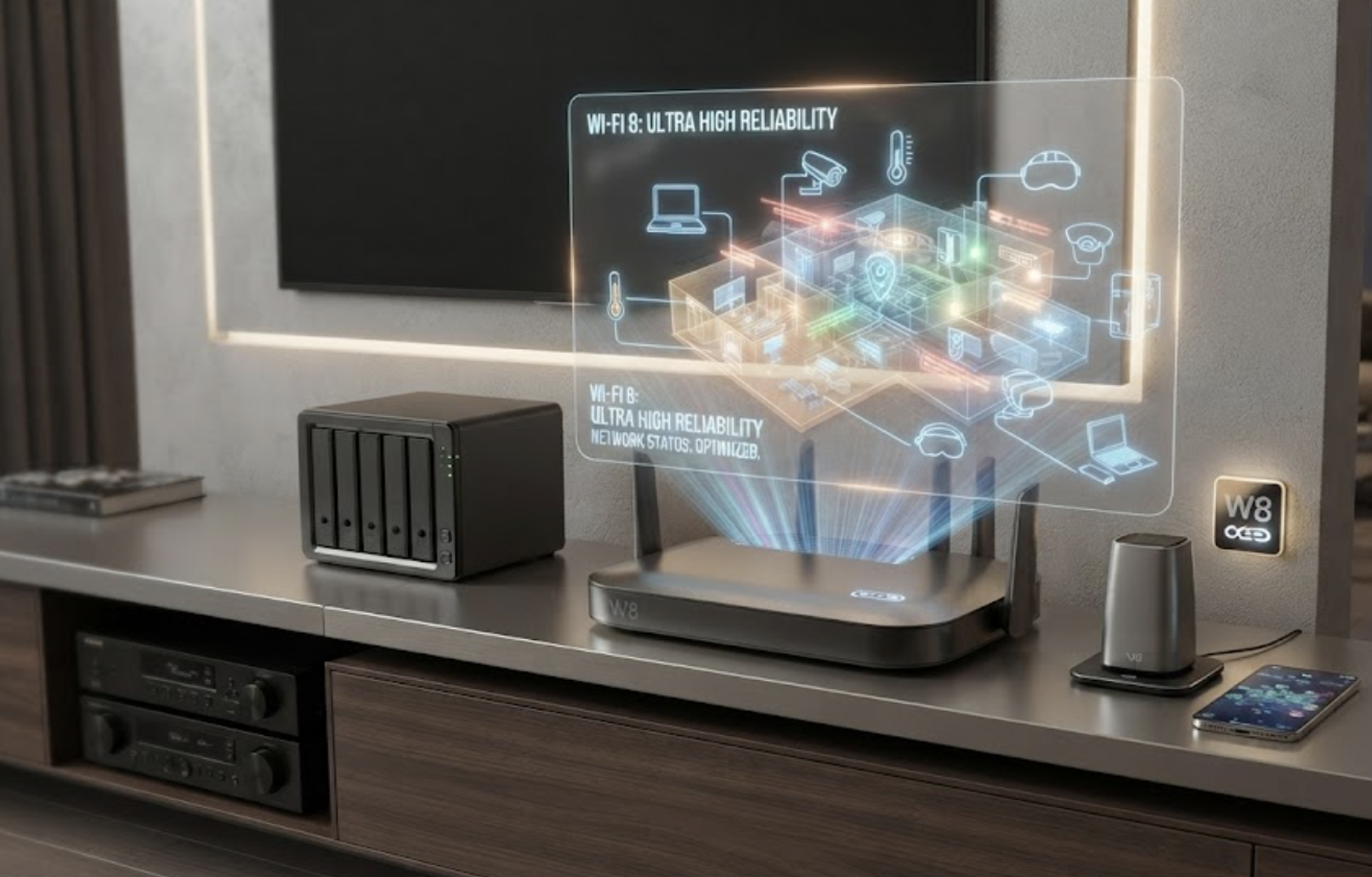
This article covers the key Wi-Fi terms behind the Wi-Fi 8 standard, what “ultra-high reliability” means in measurable terms, and the radio-level changes that support it. The next article explains how Wi-Fi 8 operates, from how devices share the air to roaming and access point coordination. It also covers the 6 GHz rules in the US, Europe, and India, and where Wi-Fi 8 products stand.
Wi-Fi terminology
Wi-Fi has its own vocabulary, and most coverage of Wi-Fi 8 assumes you already know it.
- IEEE 802.11. The engineering standard that defines how Wi-Fi works, maintained by the Institute of Electrical and Electronics Engineers (IEEE). Each new capability is added as an amendment with a letter code, such as 802.11ax or 802.11be.
- Wi-Fi Alliance and generation numbers. The Wi-Fi Alliance is an industry group that certifies products for compatibility and owns the “Wi-Fi” brand. It also gives each major amendment a simpler name: 802.11ax is Wi-Fi 6, 802.11be is Wi-Fi 7, and 802.11bn is Wi-Fi 8.
- Access point and client. The access point (AP) is the radio in your router or mesh node. A client, called a station (STA) in the standard, is any device that connects to it, such as a phone, laptop, or camera.
- Basic service set (BSS). An access point and the clients connected to it. When your network and your neighbor’s use the same channel and can hear each other, they’re called overlapping BSSs (OBSSs). Overlap is common in apartments, offices, and dorms.
- PHY and MAC. The two layers of Wi-Fi defined by the standard. The physical layer (PHY) converts bits into radio signals and back again. The medium access control (MAC) layer decides when each device can transmit, so devices don’t talk over each other.
- Channel and bandwidth. Wi-Fi sends data over a slice of radio spectrum called a channel. Channels come in widths of 20, 40, 80, 160, and 320 MHz. Just as a wider road carries more traffic, a wider channel carries more data.
- Spatial streams and MIMO. With multiple antennas on both ends, devices can send several independent data streams over the same channel at once. This technique is called multiple-input, multiple-output (MIMO), and each data stream is called a spatial stream.
- Modulation and QAM. Modulation is how bits are encoded onto a radio wave. Quadrature amplitude modulation (QAM) varies both the amplitude and phase of the wave. Higher-order QAM, such as 1024-QAM or 4096-QAM, packs more bits into each symbol but requires a cleaner signal.
- MCS. The modulation and coding scheme (MCS) is a numbered setting that pairs a modulation type with a coding rate. The coding rate indicates how many extra bits are added for error correction. For example, a rate of 3/4 means three of every four bits sent are data. When the signal weakens, a device steps down to a lower MCS.
- SNR and SINR. Signal-to-noise ratio (SNR) compares the strength of the desired signal with background noise. Signal-to-interference-plus-noise ratio (SINR) also accounts for interference from other transmitters. Both are measured in decibels (dB), and higher values are better.
- dB and dBm. A decibel (dB) expresses a ratio on a logarithmic scale. An increase of 3 dB roughly doubles the power, while 10 dB increases it tenfold. The dBm unit measures absolute power relative to 1 mW, so 0 dBm equals 1 mW and 30 dBm equals 1 W.
- Throughput and peak rate. Peak rate is the theoretical maximum a radio can deliver. Throughput is the data a device actually moves after accounting for overhead, retries, and time spent waiting for the channel.
- Latency, jitter, and percentiles. Latency is how long a packet takes to arrive, and jitter is how much that delay varies. Percentiles show how bad the delay gets in the worst cases. The 95th percentile, for example, is the point where only 1 in 20 packets takes longer.
- Packet loss and MPDU. The MAC protocol data unit (MPDU) is the basic unit of data the Wi-Fi MAC layer sends. A lost MPDU is a lost packet at the Wi-Fi level, so the device must retransmit it or drop it.
- Roaming. When a device moves from one access point to another in the same network, such as between two mesh nodes, it roams. This handover is usually where the hallway freeze happens.
How 802.11bn compares
Each Wi-Fi generation has brought its own priorities. Wi-Fi 4 (802.11n, 2009) introduced MIMO and wider channels. Wi-Fi 5 (802.11ac, 2013) expanded channels to 160 MHz and reached 6.9 Gbps. Wi-Fi 6 (802.11ax, 2021) improved efficiency in crowded environments and added the 6 GHz band as Wi-Fi 6E. Wi-Fi 7 (802.11be, 2024) doubled channel width to 320 MHz, added 4096-QAM, and let devices use multiple bands at once through multi-link operation.
Wi-Fi 8 is expected around 2028, and it’s the first numbered generation that doesn’t increase the theoretical peak rate. Channel width still tops out at 320 MHz, modulation at 4096-QAM, and spatial streams at eight.
The Wi-Fi 7 peak of 23 Gbps assumes a 320 MHz channel, 4096-QAM at a 5/6 coding rate, and eight spatial streams, all at the same time. It also assumes the shortest guard interval, the 0.8 µs pause between symbols that protects against echoes. The 46 Gbps figure in some Wi-Fi 7 marketing assumes 16 spatial streams, which the 802.11be group considered and then dropped.
So when a chipmaker says its Wi-Fi 8 chip is twice as fast as its last one, the extra speed comes from the hardware. Qualcomm’s FastConnect 8800 is rated at 11.6 Gbps because it supports four spatial streams in a phone. Its Wi-Fi 7 predecessor, the FastConnect 7800, supports two and is rated at 5.8 Gbps. The 802.11bn standard itself doesn’t raise the ceiling.
What ultra-high reliability means on paper
Every IEEE amendment starts with a Project Authorization Request (PAR), which sets the scope before technical work begins. The 802.11bn PAR covers operation between 1 GHz and 7.25 GHz. It defines ultra-high reliability for both single networks and overlapping networks, with Wi-Fi 7 as the baseline.
In both cases, the amendment must offer at least one mode of operation that delivers:
- 25% more throughput at one or more SINR levels, measured where the MAC layer hands data to the rest of the system.
- 25% lower latency at the 95th percentile.
- 25% fewer lost MPDUs, particularly during transitions between BSSs.
Each target addresses a specific weakness in today’s Wi-Fi:
- Throughput where the signal is weak. The throughput target is tied to SINR, not peak rate. A laptop next to the router already runs at the top MCS and doesn’t need help, but a camera on the porch or a phone two walls away does. A 25% gain at mid or low SINR means more data for the devices that are struggling.
- Latency in the worst moments, not on average. Average Wi-Fi latency on a quiet network is only a few milliseconds. The trouble is the occasional packet that waits tens of milliseconds because the channel was busy or a retry was needed. On a video call, that shows up as a stutter. In a cloud game, it’s a hitch, and in an extended reality (XR) headset, it’s a dropped frame. Targeting the 95th percentile pushes the design work toward those worst moments.
- Fewer packets lost while roaming. The third target singles out transitions between BSSs because that’s where Wi-Fi drops packets today. When a device moves from one access point to another, it typically ends its connection, repeats part of the security setup, and then resumes. Packets sent during that gap are lost or delayed.
Beyond these targets, the PAR also calls for lower access point power consumption, including for mobile hotspots running on phone batteries, and for better device-to-device (peer-to-peer) links. Every Wi-Fi 8 device must also remain compatible with older Wi-Fi devices in the 2.4 GHz, 5 GHz, and 6 GHz bands.
The “ultra” in ultra-high reliability is relative. According to the PAR’s notes, today’s Wi-Fi is already reliable for most uses, and “ultra” means an improvement over that baseline rather than an absolute number. By comparison, 5G sets a fixed target for its ultra-reliable low-latency communication (URLLC) mode: 3GPP defines it as delivering a 32-byte packet within 1 ms with 99.999% reliability. Wi-Fi 8 makes no such promise. It only promises to be measurably better than Wi-Fi 7 in the worst cases.
The phrase “at least one mode of operation” also matters. The standard meets its goals as long as some combination of features hits each target in some configuration. A specific router or phone may support only some of those features, so when a product box says “Wi-Fi 8,” the more useful question is which 802.11bn features the device actually supports.
Why Wi-Fi 8 focuses on reliability
Wi-Fi runs on unlicensed spectrum, where every device has to listen before it transmits. The 802.11 standard requires this, as do European regulations, India’s 6 GHz rules, and US rules for indoor and very-low-power 6 GHz devices. In practice, a device checks that the channel is clear, counts down a random wait time called a backoff, and then transmits.
The countdown pauses whenever another device starts transmitting. Over time, this is fair, but at any given moment, it’s unpredictable. In a building with a dozen overlapping networks, a device may wait a long time for its turn. If two devices finish their countdowns at the same time, their transmissions collide and both have to retry.
Wi-Fi 7 took a first step toward fixing this. It added restricted target wake time (R-TWT), which reserves time slots for latency-sensitive traffic, and multi-link operation, which lets a device transmit on whichever band frees up first. However, 802.11be never set numerical targets for those improvements. 802.11bn is the first amendment to include reliability targets in its PAR.
The applications driving this change care more about timing than speed. VR headsets need motion-to-photon latency under 20 ms, ideally closer to 10 ms, and the network gets only part of that budget. Cloud and competitive gaming suffer as much from jitter as from low bandwidth. Factories in Ohio and Pune want to run mobile robots, control loops, and inspection cameras without Ethernet cables. None of these applications needs 23 Gbps, but all of them need the 95th-percentile packet to arrive on time.
Because Wi-Fi’s contention rules can’t simply be switched off, 802.11bn works around them. The draft adds better coding so fewer packets fail, new ways to access the channel when the usual path is blocked, roaming that doesn’t break the connection, and coordination between access points.
Physical layer changes
The PHY features in 802.11bn target four weak spots: links with marginal signal quality, MIMO streams of uneven quality, a weak uplink from low-power or distant devices, and interference that changes during a packet.
• Longer error-correcting codes. Wi-Fi protects data with low-density parity-check (LDPC) codes. Since 802.11n, these code blocks, called codewords, have come in three lengths: 648, 1296, and 1944 bits. 802.11bn adds a 3888-bit codeword, built from the 1944-bit design and using the same code rates of 1/2, 2/3, 3/4, and 5/6.
A longer codeword spreads its protection across more bits, so it corrects errors more effectively, which helps links with marginal signal quality. Published evaluations put the gain at 0.5 to 1.0 dB, with the largest gains at high MCS levels and with multiple spatial streams. Half a decibel may sound small, but it can be the difference between holding an MCS and dropping to a slower one.
The feature, called 2xLDPC in the draft, is optional and applies only to larger payloads. Short frames keep the existing lengths, because shortening a 3888-bit codeword to fit a small payload reduces its error-correcting performance. A field in the packet header tells the receiver which length is in use. Because the longer code takes more time to decode, the draft also adds a small amount of extra padding at the end of the packet.
• Finer MCS steps. In Wi-Fi 6 and Wi-Fi 7, the gaps between neighboring MCS levels are wide. When errors pile up, a device’s rate adaptation may drop to a lower rate than the signal actually requires. 802.11bn adds intermediate MCS levels to fill those gaps, so marginal links can hold a higher rate. Examples include QPSK at rate 2/3 and 16-QAM at rate 5/6. The trade-off is that rate adaptation has more combinations to choose from.
• Unequal modulation (UEQM). Since Wi-Fi 5, all the spatial streams sent to a device have used the same modulation. Wi-Fi 4 (802.11n) defined optional unequal-modulation MCSs (numbers 33 to 76), but 802.11ac dropped them. With beamforming, however, one stream often arrives much stronger than another, so forcing every stream to use the same modulation lets the weakest one set the pace. UEQM addresses MIMO streams of uneven quality by letting the transmitter choose a different modulation for each stream, while a single LDPC code still covers the whole transmission.
For example, consider a two-stream link where the strong stream could carry 1024-QAM but the weak one can only handle 256-QAM. Under earlier rules, both streams drop to 256-QAM. With UEQM, the strong stream keeps 1024-QAM.
• Enhanced Long Range (ELR). Access points usually transmit at higher power than their clients. A camera at the end of the driveway can hear the router clearly, while its own replies barely get through. Engineers call this a link budget imbalance, and it leaves low-power or distant devices with a weak uplink.
ELR is a new packet format designed for this situation. An ELR packet is a single-user, 20 MHz transmission that uses one spatial stream and is limited to MCS 0 and MCS 1, the two slowest and most error-tolerant settings. Its data is carried on a 52-tone resource unit (a small block of subcarriers) and repeated four times across the 20 MHz channel, so the receiver gets four copies. That puts its data rate at 1.67 Mbps for MCS 0 and 3.33 Mbps for MCS 1. ELR works in both directions in the 2.4 GHz band, but only from client to access point in the 5 GHz and 6 GHz bands.
To help the access point detect it, an ELR transmitter is expected to lock its clock to the access point by correcting the frequency offset it measures on incoming packets. Qualcomm lists outdoor cameras, garage sensors, and mobile robots as target devices. For engineers designing battery-powered devices that sit at the edge of a home or factory network, ELR is the 802.11bn feature to watch.
• Distributed-tone resource units (DRUs). The weak uplink also shows up in the 6 GHz band, where regulators cap power spectral density (PSD), the amount of power allowed per MHz of spectrum. The exact caps vary by country.
That cap hurts devices that transmit on only a small slice of the channel. Since Wi-Fi 6, an access point can assign each client a resource unit (RU), a group of subcarriers, so several clients can transmit at once. A client assigned a 26-tone RU occupies only about 2 MHz, so its total power is limited to the PSD cap multiplied by those 2 MHz.
DRUs spread those same 26 tones across a wider span, such as 20 MHz or 40 MHz. The number of tones stays the same, but each MHz carries less energy, so the client can raise its total transmit power and still stay within the PSD cap.
In a simplified case, spreading a 2 MHz allocation over 20 MHz allows up to ten times the power, or about 10 dB. Real-world gains depend on the tone pattern and how widely the tones are spread, and task group discussions noted that a 26-tone DRU gets its full benefit at 40 MHz or more. The result is longer uplink range for small allocations in the band where Wi-Fi 6E and Wi-Fi 7 coverage is weakest.
• Interference mitigation pilots. Pilots are known reference tones that a receiver uses to track the signal. To handle interference that changes during a packet, 802.11bn adds extra pilots within the data portion of the packet, so the receiver can track the interference as it shifts.
When the receiver has more antennas than there are spatial streams, it can use those pilots to estimate the interference and cancel some of it. More pilots improve tracking but leave fewer subcarriers for data, so designers favor a small set of fixed or selectable pilot patterns over fully custom ones.
Conclusion
Wi-Fi 8 is about reliability, not speed. Its PAR calls for 25% more throughput at a given signal level, 25% lower 95th-percentile latency, and 25% fewer lost packets, especially during roaming, all compared with Wi-Fi 7. Since the peak rate stays the same, these three numbers are the real measure of Wi-Fi 8.
At the physical layer, 802.11bn is designed to strengthen weak links. Longer LDPC codes and finer MCS steps help marginal links hold higher rates, and unequal modulation keeps the weakest MIMO stream from setting the pace. ELR and DRUs improve the uplink from small or distant devices, and the new pilots help receivers cancel interference that changes during a packet.
You may also like:


Filed Under: Tech Articles
Log in to leave a comment:
Lost your password?
Don't have an account? Register here