SPI: What is Serial Peripheral Interface Protocol

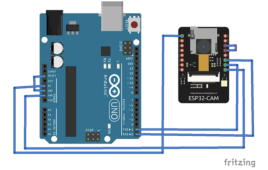
SPI has earned a solid role in embedded systems whether it is system on chip processors, both with higher end 32-bit processors such as those using ARM, MIC  or Power PC and with other microcontrollers such as the AVR, PIC etc. These chips usually include SPI controllers capable of running in either master or slave mode. In-system programmable AVR controllers can be programmed using an SPI interface.Chip or FPGA based designs sometimes use SPI to communicate. So, SPI is a common technology used nowadays for communication with peripheral devices where we want to transfer data speedily and with in real time constraints. There are many serial interfaces right from Morse code telegraphy, RS232, USB, Fire wire, Ethernet and many more. Each serial interface offers advantages or disadvantages for many designs,depending on criteria such as needed data rate, space availability, and noise considerations

Electronic Circuit Designing: Modular Approach (Part 1)

 A person’s inquisitiveness and curiosity can do wonders. It can open a realm of ideas and imaginations never thought before and create something worthwhile. Electronic Circuit Designing When I was a child I used to read lot of electronic articles and magazines regularly. I’ve seen a lot of interesting circuits and tried as many of them as possible at that time. Whenever a new circuit catches my attention I can’t resist myself trying it out. Every time I bought a new general purpose PCB and the required components listed with the circuit diagram and spent a lot of time soldering the components in the general purpose board. I used to implement the developed board for its practical purpose but it won’t last too long in its place and eventually end up in my small junk yard. Earlier, I couldn’t afford the cost of all these hardware and now with the passing years I have a large collection of useless circuit boards with costly components soldered into it.

Insight - How LED Dot Matrix Display Works

Light emitting diodes aligned in a form of matrix constitute a dot matrix display. It is commonly used to display time, temperature, news updates and many more on 

digital billboards. Dot Matrix Display is manufactured in various dimensions like 5x7, 8x9, 128x16, 128x32 and 128x64 where the numbers represent LEDs in rows and columns, respectively.

Arrangement of the LEDs in the matrix pattern is made in either of the two ways: row anode-column cathode or row cathode-column anode. In row anode-column cathode pattern, the entire row is anode while all columns serve as cathode and vice-versa pattern is there in row cathode-column anode. LED wafers are glued to the bottom of the segments and glow when powered ON. The interesting part is that 35 LEDs are controlled by using a combination of 14 pins. Conductor tracks are laid all over the board to power each LED. Let’s proceed to know in depth about how a dot matrix display works. 

Single Phase Offline UPS using PIC

An uninterruptible power source, UPS or battery/flywheel backup, is an electrical apparatus that provides emergency power to a load when the input power PIC based Microcontroller Project source, typically mains power, fails. A UPS differs from an auxiliary or emergency power system or standby generator in that it will provide near-instantaneous protection from input power interruptions, by supplying energy stored in batteries or a flywheel. The on-battery runtime of most uninterruptible power sources is relatively short (only a few minutes) but sufficient to start a standby power source or properly shut down the protected equipment.

There are different types of UPS such as On line UPS, OFF line UPS and  a Line interactive UPS.This project details in creating an offline project with PIC microcontroller. Off Line UPS the load is connected directly to the mains when main supply is available and it is not too high or not to low. Continue reading to find out how PIC microcontroller is utilized and how the project is put to work.